> ## Documentation Index
> Fetch the complete documentation index at: https://docs.heyaskr.ai/llms.txt
> Use this file to discover all available pages before exploring further.
# How it works
> Fund, choose a model, and build. In plain English.
Askr works in three steps: **Fund, choose your model, and build.** Add credit
once, pick whichever model fits the task, and pay only for what you use. Crypto
in. Intelligence out.
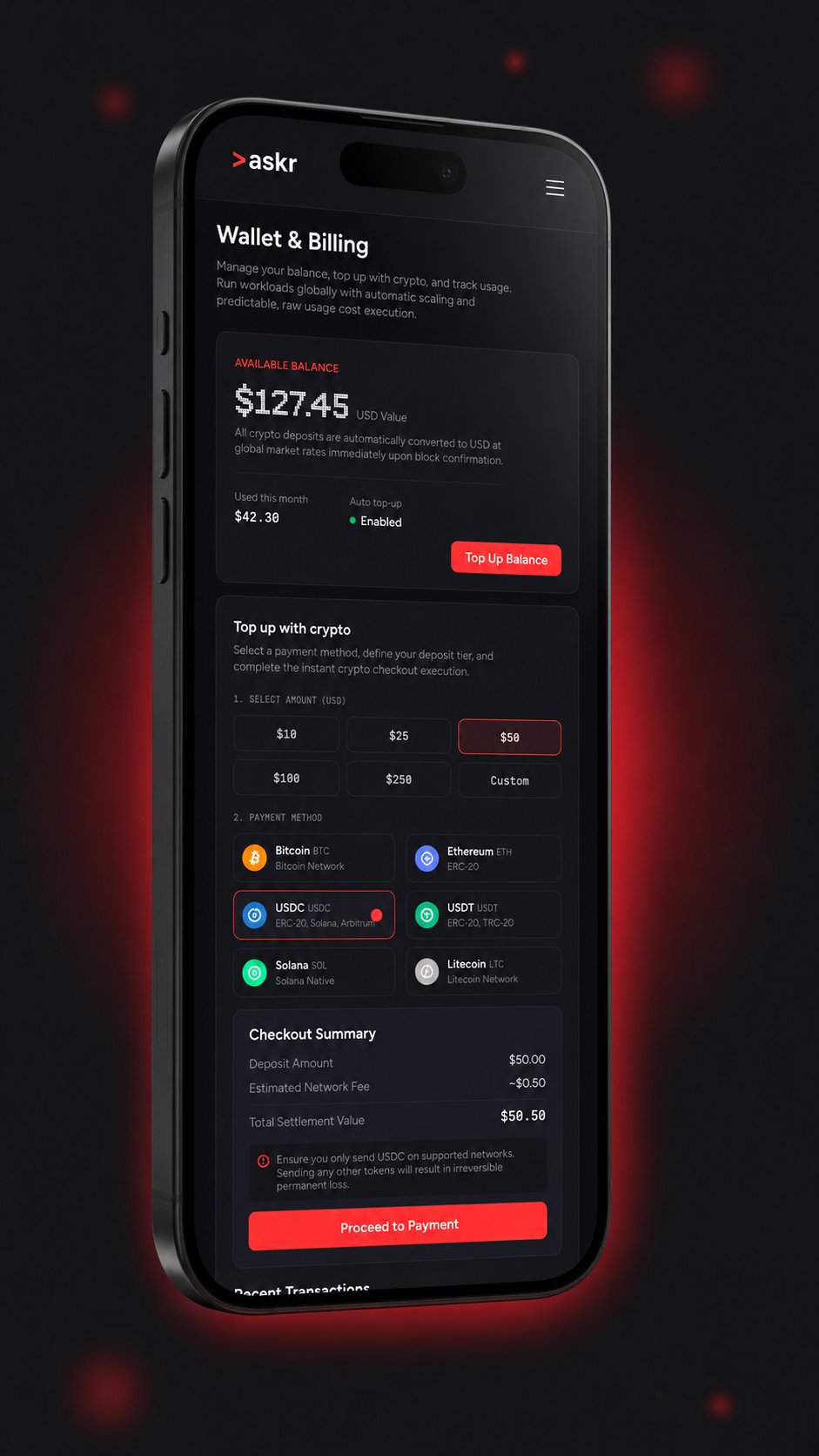
Top up one balance with BTC, ETH, SOL or USDT. It's held in USDT.
Every model in one interface. Pick the best one for the task.
Chat, code, images, video and audio, paying only per request.
The whole path, from signing up to your first result, looks like this:
Sign up in seconds. No card, minimal details.
Add credit with any crypto. It converts to a stable USDT balance.
Pick any model from one interface, for chat, code, images, video or audio.
Run your request. The cost is taken from your balance and itemised in your
history.
## 1. Fund
Create an account, then add credit using any crypto: **BTC, ETH, SOL or USDT,**
straight from your wallet. Payments are final, with no chargebacks, and
confirmations are fast.
Prefer a card? You can also fund your balance with **Visa**, and **Apple Pay and
Google Pay are coming soon,** so topping up is as easy as any app. Whichever
method you choose, the credit lands in the same place.
Your balance is held in **USDT**, a dollar-pegged stablecoin. If you fund with
BTC, ETH or SOL, it converts to USDT the moment the payment confirms, so your
balance holds a steady dollar value and isn't exposed to crypto price swings.
From that point on, everything you do draws from this one balance.
 ## 2. Choose your model
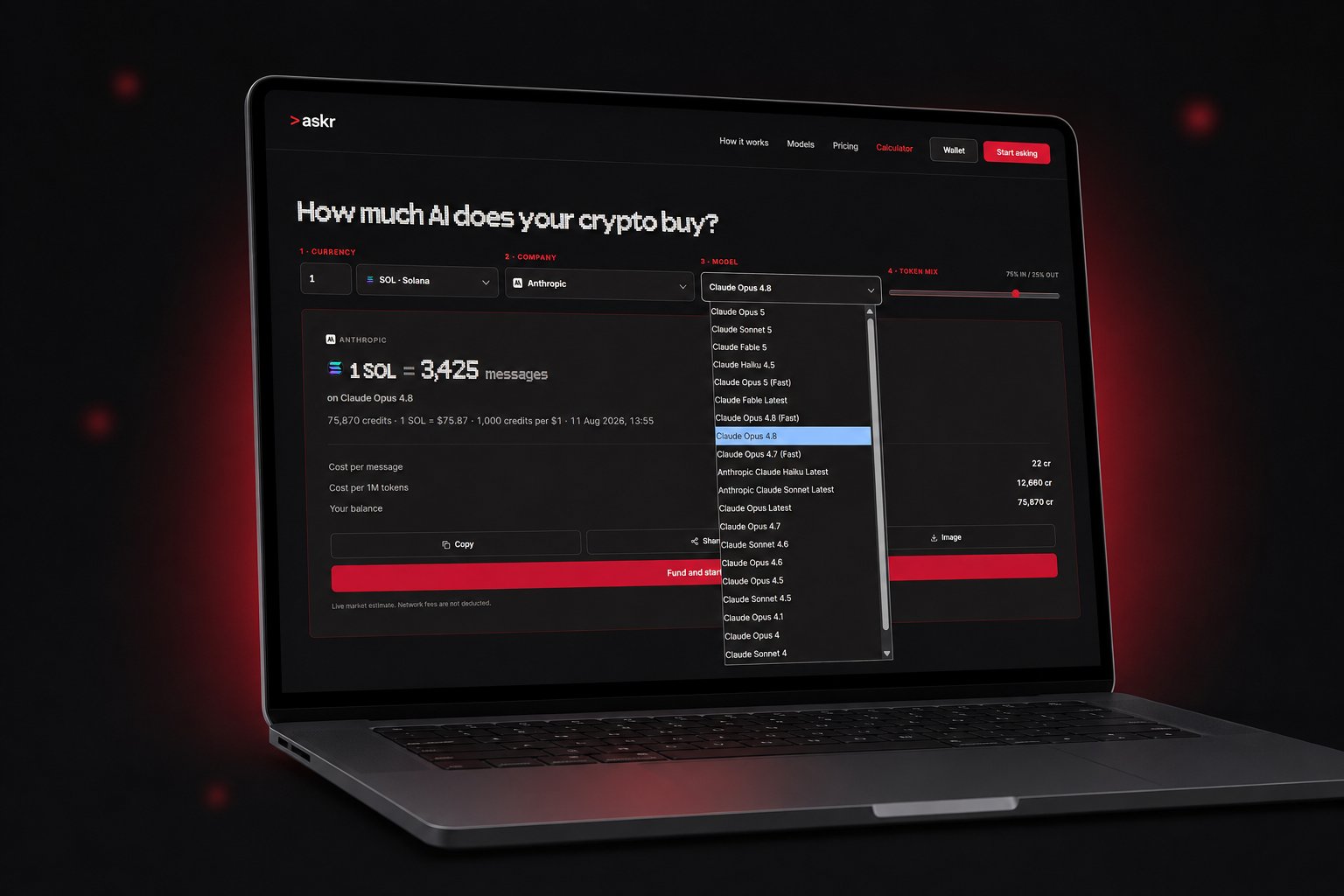
Every major model lives in one interface. Instead of a separate subscription for
each provider, you pick the model that fits the task in front of you and switch
whenever you like. Reach for a frontier model when a job is hard, a cheaper one
when it's simple, and a specialised image, video or audio model when you need it.
Because you only pay per request, trying a different model costs nothing extra.
There is no plan to upgrade and no commitment to a single lab, so when a better
model launches you can use it the same day.
## 2. Choose your model
Every major model lives in one interface. Instead of a separate subscription for
each provider, you pick the model that fits the task in front of you and switch
whenever you like. Reach for a frontier model when a job is hard, a cheaper one
when it's simple, and a specialised image, video or audio model when you need it.
Because you only pay per request, trying a different model costs nothing extra.
There is no plan to upgrade and no commitment to a single lab, so when a better
model launches you can use it the same day.
 ## 3. Build
Now do the work. Chat, write and debug code, generate images, render short
videos, and turn text into speech, all from the same balance.
Each request costs a small amount, taken from your balance. You see the price
before and after, and every request is listed in your history.
* **Text** costs a tiny amount per token, both in and out.
* **Images** cost a set price per image, depending on the model.
* **Video** costs a bit more, based on length.
* **Audio** is priced per generation.
Cheaper models cost less and the most powerful models cost a little more, and you
always choose which to use. There's no monthly fee, so if you don't touch Askr
for a month, you pay nothing.
**Building programmatically?** Developers can generate an API key and call Askr
from their own code, using the same balance. That step is optional and only for
developers. See the [Quickstart](/quickstart) to get set up.
## Credits, explained simply
Think of your balance like money on a prepaid card. You top it up, and each thing
you do draws a small amount from it. There is no subscription and no monthly fee,
so the balance only moves when you actually run something.
Prices are shown in USD, and because your balance is held in USDT, one unit of
balance is worth about one dollar. Every model publishes its price up front, so
you can see what a request will cost before you run it and exactly what it cost
afterwards. Nothing renews on its own, and there is nothing to cancel.
## Why crypto?
Funding with crypto keeps things **private** (no card details on file),
**global** (anyone, anywhere can fund a balance), and **final** (no chargebacks
or surprise fees). It also means you can top up straight from a wallet in
seconds, without a bank in the middle.
Your crypto converts to a stable USDT balance the moment it arrives, so what you
hold doesn't move with the crypto market. You get the openness of crypto funding
with the steadiness of a dollar-denominated balance.
Prefer other payment methods later? The balance works the same however you fund
it. Crypto is simply the first and most private option.
Make your first request in under five minutes.
## 3. Build
Now do the work. Chat, write and debug code, generate images, render short
videos, and turn text into speech, all from the same balance.
Each request costs a small amount, taken from your balance. You see the price
before and after, and every request is listed in your history.
* **Text** costs a tiny amount per token, both in and out.
* **Images** cost a set price per image, depending on the model.
* **Video** costs a bit more, based on length.
* **Audio** is priced per generation.
Cheaper models cost less and the most powerful models cost a little more, and you
always choose which to use. There's no monthly fee, so if you don't touch Askr
for a month, you pay nothing.
**Building programmatically?** Developers can generate an API key and call Askr
from their own code, using the same balance. That step is optional and only for
developers. See the [Quickstart](/quickstart) to get set up.
## Credits, explained simply
Think of your balance like money on a prepaid card. You top it up, and each thing
you do draws a small amount from it. There is no subscription and no monthly fee,
so the balance only moves when you actually run something.
Prices are shown in USD, and because your balance is held in USDT, one unit of
balance is worth about one dollar. Every model publishes its price up front, so
you can see what a request will cost before you run it and exactly what it cost
afterwards. Nothing renews on its own, and there is nothing to cancel.
## Why crypto?
Funding with crypto keeps things **private** (no card details on file),
**global** (anyone, anywhere can fund a balance), and **final** (no chargebacks
or surprise fees). It also means you can top up straight from a wallet in
seconds, without a bank in the middle.
Your crypto converts to a stable USDT balance the moment it arrives, so what you
hold doesn't move with the crypto market. You get the openness of crypto funding
with the steadiness of a dollar-denominated balance.
Prefer other payment methods later? The balance works the same however you fund
it. Crypto is simply the first and most private option.
Make your first request in under five minutes.